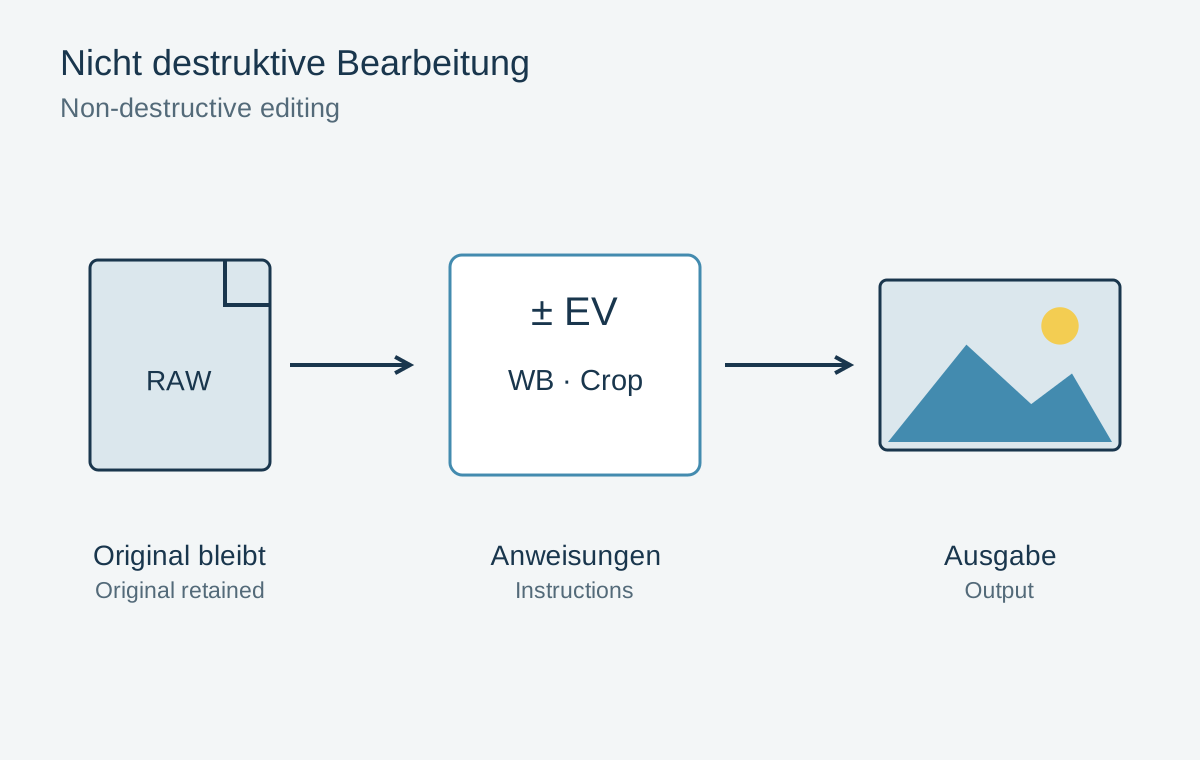
Non-destructive editing means your adjustments do not permanently overwrite the original image. You can undo a crop or change white balance without starting again from the camera photograph. Preserving that flexibility requires more than a small exported JPEG: depending on the application, a catalogue, project file, layers or additional metadata may belong to the editable picture.
Three different components
The original is the source file, such as a RAW capture or a JPEG from your phone. Keep it unchanged in an understandable folder structure. The edit describes how to produce a particular rendering from it. In a RAW converter, this often consists of instructions rather than newly saved image pixels. A preview displays those instructions applied, but does not replace the original.
An export is a file calculated for a purpose, such as a smaller JPEG for a website. Its crop and sharpening may already be baked in. If you edit only that export, missing edges, tonal flexibility or resolution may limit the result. Start a new version from the preserved original and its editing information instead.
A workflow you can retrace
Import the files and first check that they are complete and readable. Back up important captures before clearing the memory card. Then select a manageable number for editing. Ratings or an album can record the selection without deleting the other originals.
Adjust broad matters such as profile, white balance and overall brightness first. Then consider composition and local corrections. This order is not a rigid technical requirement; it simply makes decisions easier to assess. A strong global colour change, for example, can upset a carefully balanced skin correction made earlier.
Create separate versions for substantially different interpretations. You can then compare a colour landscape composition with a tight black-and-white crop. Use understandable names such as “Colour landscape” rather than a sequence of “final”, “final2” and “reallyfinal”. For important work, also record the intended output purpose.
Layers and external applications
When working in a pixel editor, use adjustment layers and masks where possible. Save a file that genuinely preserves those layers. Not every export format can do so. A flattened copy suits sharing, but should not replace the editable version.
Moving between applications can change how instructions are interpreted, or leave some unapplied. Check the returned file and retain the earlier version. A smart object or linked file may require its source data. Moving a folder can break that connection even when a preview still appears.
Retrace an edit months later
Suppose a square portrait was exported for a website and is later needed as a landscape print. If only the small square survives, the side areas are absent from that file. With the original, saved development and a clearly named web version, you can reset the crop, create a print variant and still reuse the local face adjustment.
Check which edits depended on the old composition. A vignette, gradient or repair near the previous edge may look wrong in the new frame. Do not transfer every setting blindly. The ability to undo operations does not replace a fresh compositional review.
A catalogue backup also does not necessarily contain the original photographs. Establish which files are merely referenced by the catalogue. Using a small copy, test whether the project and sources open from another storage location. Until that works, an existing preview is not proof that the complete project survives.
Test returning to the image
Close the project and reopen it later. Can you reset the crop and alter the last local adjustment? This small test is more meaningful than assuming the application saves everything automatically. Back up originals together with the editing files they require.
For completed projects, also retain an accessible finished export. It records the intended appearance if a future application version interprets old settings differently. The export supplements editable data rather than replacing it.