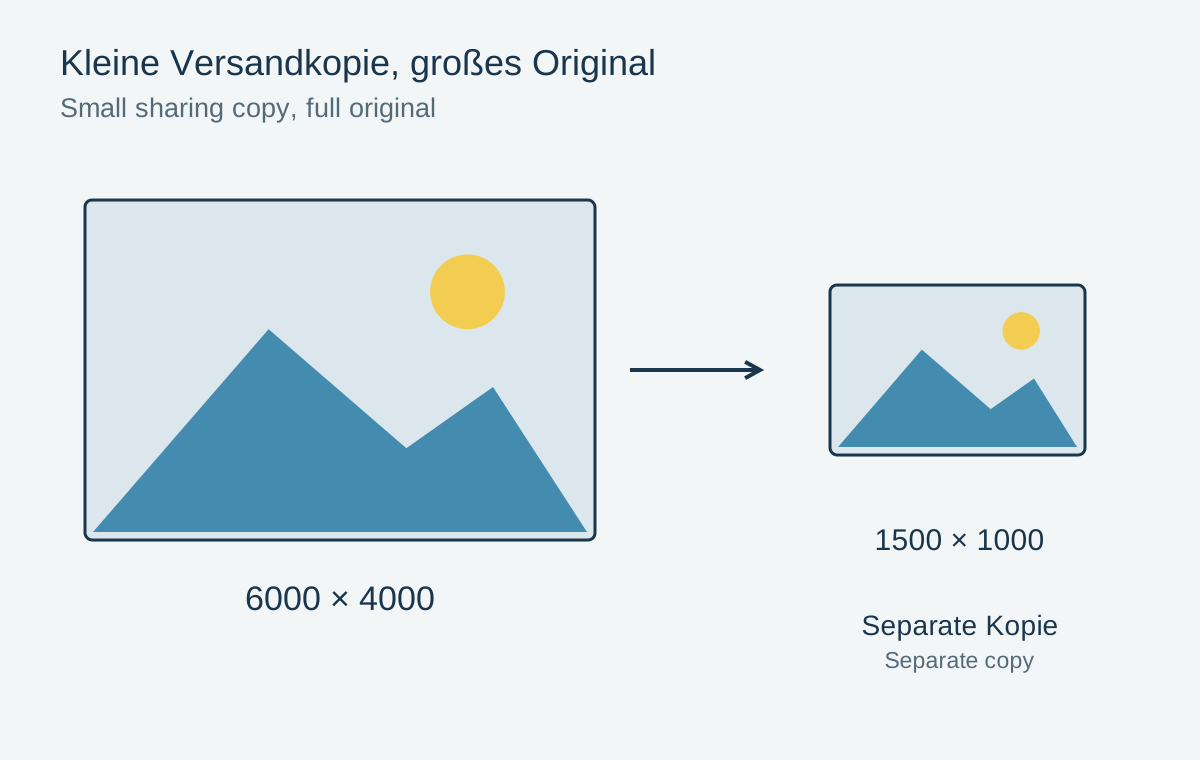
A large camera file is often unnecessary for a short selection sent by email. A smaller copy can transfer faster and be easier to view. This is an output for a particular purpose. Keep the complete original in the archive so that a larger print or a different crop remains possible later.
Start with the intended use
First ask whether the recipient only wants to view the pictures or also print them. For screen viewing, a limited long edge may be sufficient. A copy measuring 1500 pixels along its longer side is one possible working choice, not a universal requirement for every device. For printing, derive the necessary pixel dimensions from the intended physical size and output resolution.
Resize proportionally. An original measuring 6000 × 4000 pixels becomes 1500 × 1000 pixels when reduced to a width of 1500 pixels. Its shape is preserved. Forcing width and height independently can stretch faces and objects.
Changing a recorded PPI value alone does not make the file smaller. Pixel count, file format and compression all affect the image data. Inspect the exported file rather than relying on one resolution field in a dialog.
Inspect the finished copy
Save the output in a separate folder, such as “Sharing selection”, and avoid a filename that overwrites the original. JPEG is often suitable for ordinary photographs; graphics containing transparency may need another format. Export directly from the original or editable project where possible, rather than shrinking an already heavily compressed sharing copy again.
Open a few outputs and check sharpness, color, orientation and file size. Look for distracting compression patterns in fine textures. If a file is too large, deliberately change dimensions or quality and compare again instead of blindly reducing several settings at once.
Finally, inspect metadata and filenames. A public copy does not need to contain private locations or personal names. Preserving that information in the private original and removing it from a sharing version are separate decisions. If the recipient later needs a print file, generate it again from the archive rather than from the small copy.