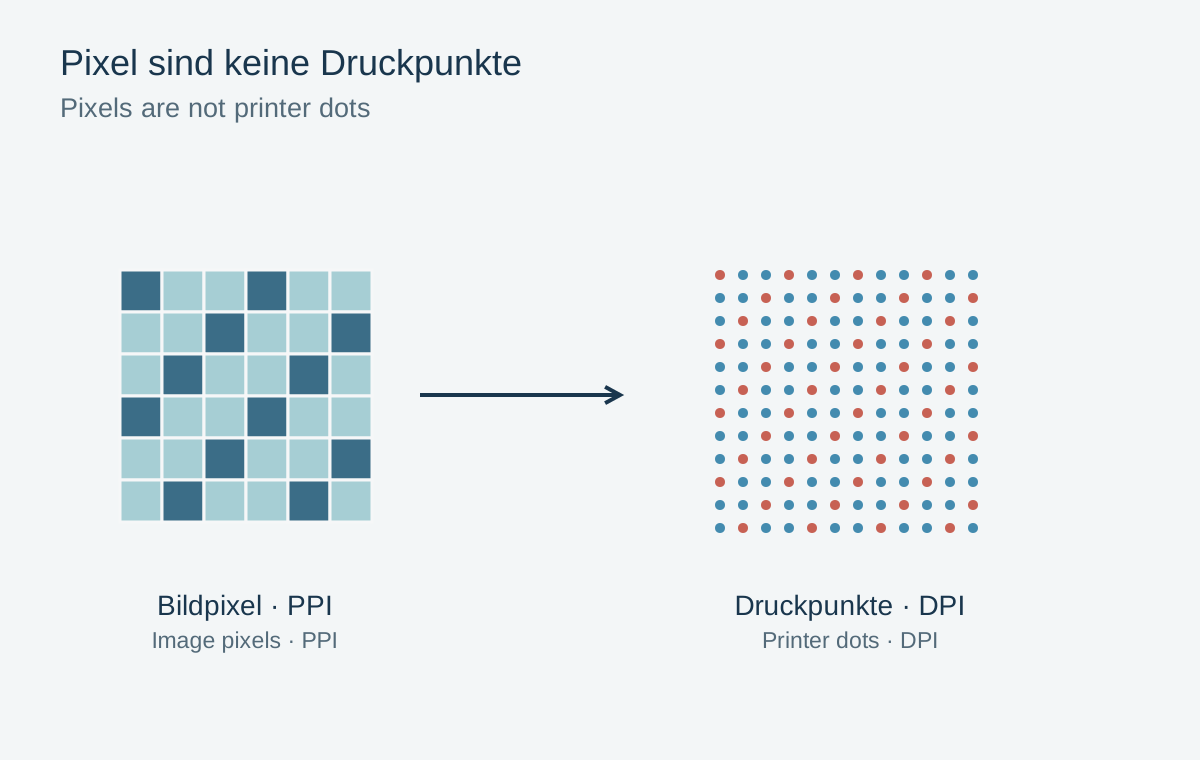
A printer may advertise several thousand dpi while photographs are supplied at a few hundred ppi. There is no contradiction. Pixels are image elements in the file; printer dots are output marks used to create colours and tones. The two numbers therefore cannot be compared directly as the same measure of quality.
Ppi links pixels with physical size
A file 3000 pixels wide provides 300 ppi when printed ten inches wide. Printed twenty inches wide, the same file provides 150 ppi. Its pixel count has not changed, only their distribution across the paper. Convert centimetres to inches by dividing by 2.54.
The resolution value stored in a file is an instruction or scale reference. Changing it without resampling creates no additional image pixels. A small internet preview therefore does not become a detailed large-print source simply by entering “300 dpi”.
Dpi describes device output
An inkjet printer places tiny marks of different colours and sometimes different sizes. Several marks can combine to reproduce the appearance of one image pixel. Paper, ink, screening and print mode also affect the result. The highest advertised dpi number alone does not predict how sharp a particular photograph will appear.
Follow the file-resolution guidance for the actual workflow. Some systems prefer values such as 300 or 360 ppi, but that does not create a universal requirement for every material and viewing distance. Do not blindly enlarge a small source to the printer’s maximum dot specification.
Resolve ambiguous specifications through final size
When a provider requests “300 dpi” for an image file, it often means pixel density at the final print dimensions. Also check the requested format and actual pixel dimensions. A number without width and height says little about suitability.
A small proof shows whether existing detail meets the purpose. Check focus and motion blur as well: many pixels can contain a blurred photograph. Conversely, a clean capture may work convincingly at lower density when viewed farther away. Keep the original separate from the print copy so an export setting is not confused with original capture quality.